Setting up your voicemail is easy. Follow these steps:
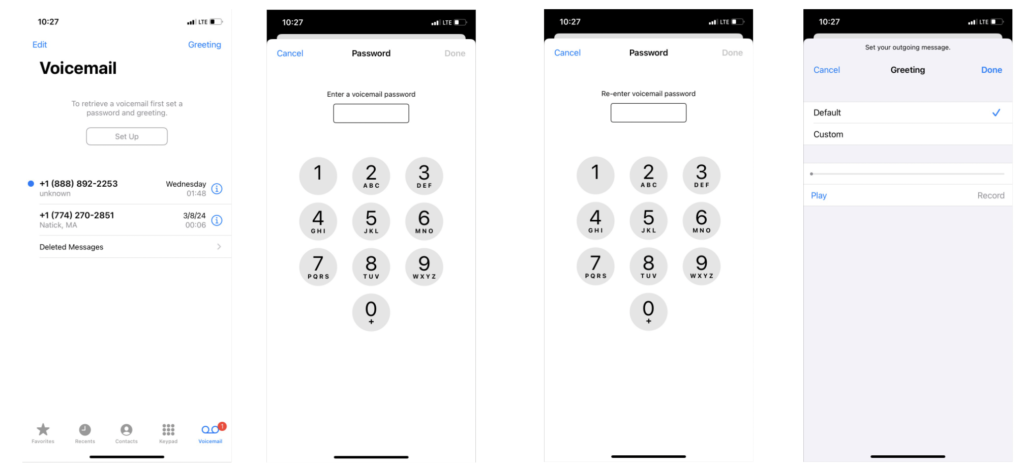
For iOS devices:
Open the phone app.
Navigate to the ‘Voicemail’ tab.
Click the ‘Set Up’ button to set your PIN.
Enter a 4–7-digit password/PIN number.
Re-enter the password/PIN.
Set your outgoing message greeting.
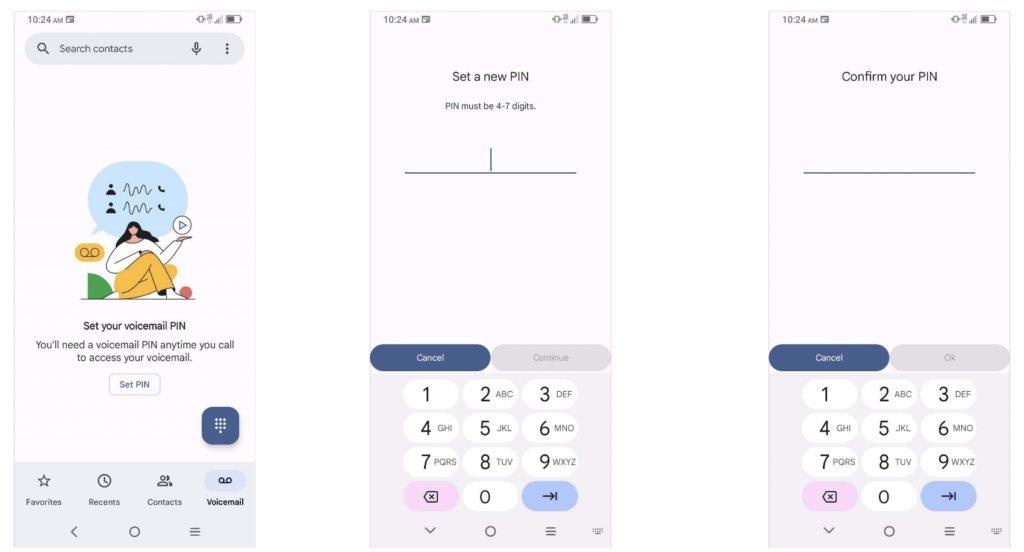
For Android devices:
Open the phone app.
Navigate to the Voicemail tab.
Click the ‘Set PIN’ button to set you PIN.
Enter a 4–7-digit password/PIN.
Re-enter the password/PIN and confirm.