Here’s how you can set up your eSIM on your iOS device:
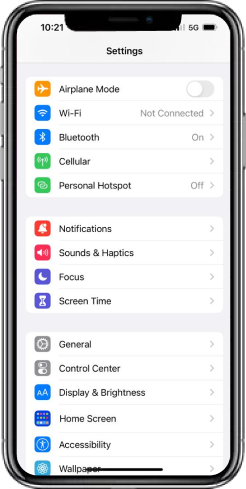
Step 1: Go to your phone’s ‘Settings’, then tap ‘Cellular’
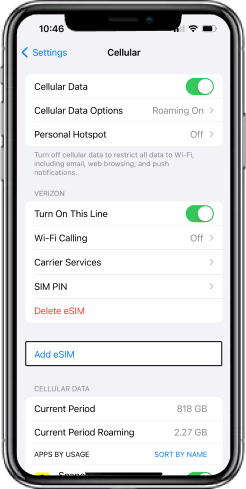
Step 2: Select ‘Add Cellular Plan’ or ‘Add eSIM’ (depending upon which model of iPhone you have)
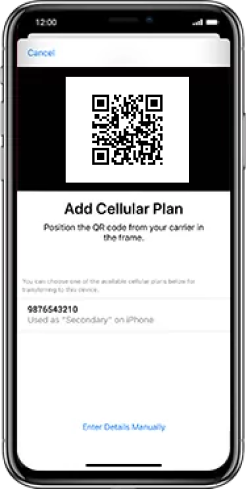
Step 3: Next, you can either print your QR code or use another device to display the QR code to scan it. Point your camera at the QR code above until you see ‘Installing cellular plan’ appear on your phone screen.
Step 4: Once your new eSIM is configured, power cycle your device by holding down the power button until it turns off, wait 30 seconds, and then turn the phone back on.
That’s all! Your eSIM is now configured. Place a call, send a text, and browse the internet to verify everything is working smoothly.


